Dungeon Ambience Music for RPG Maker Games
Good dungeon ambience is mostly space: a low drone, sparse water drips, a distant scrape of stone, all kept quiet enough that the player’s imagination does the frightening. For an RPG Maker project, the fastest way to get there is to build the mix in layers, make every loop long and uneven enough to avoid fatigue, and set the files up correctly in the engine. If you would rather generate original tracks and effects than hunt for a pack, our browser-based audio generators are made for exactly that workflow.
This guide is for RPG Maker MZ and MV developers who need a dungeon, cave or crypt to sound right without a recording studio. It covers what to put in the mix, how to loop it, where the files go, how loud to make them and what the licence has to say before you ship.
TL;DR
- Build dungeon ambience in three layers: a quiet constant bed, a sparse texture layer and occasional one-shot events.
- Keep drips and other accents irregular. Even spacing sounds like a metronome and wears on the player fast.
- Use long loops and soft crossfades, or randomize your layers, so players never notice the seam.
- In RPG Maker MZ, put OGG files in the audio/bgm and audio/bgs folders and balance them with the Sound Test tool.
- Check the licence of every track. Attribution terms and commercial rights decide whether you can ship it.
Table of Contents
- What dungeon ambience actually does
- The three layers of a dungeon mix
- A starting recipe you can adjust by ear
- Loops that do not wear out the player
- Setting it up in RPG Maker MZ
- Keep it beneath the dialogue
- Licensing: read it before you ship
- Generate your own dungeon sound
- Our view on dungeon sound
- FAQ
- Sources
What dungeon ambience actually does
Dungeon ambience is the background sound that tells the player where they are before they see it. It is not a melody to hum. It is the damp air, the hollow room and the sense that something might be around the corner.
Research on tabletop role-playing backs up why this matters. A 2021 paper in the Journal of Sound and Music in Games by Andrew Borecky argues that music lets players immerse themselves in a game’s setting, turning play into a kind of shared performance. In a video game, you are the one controlling that performance, and the player simply walks through it.
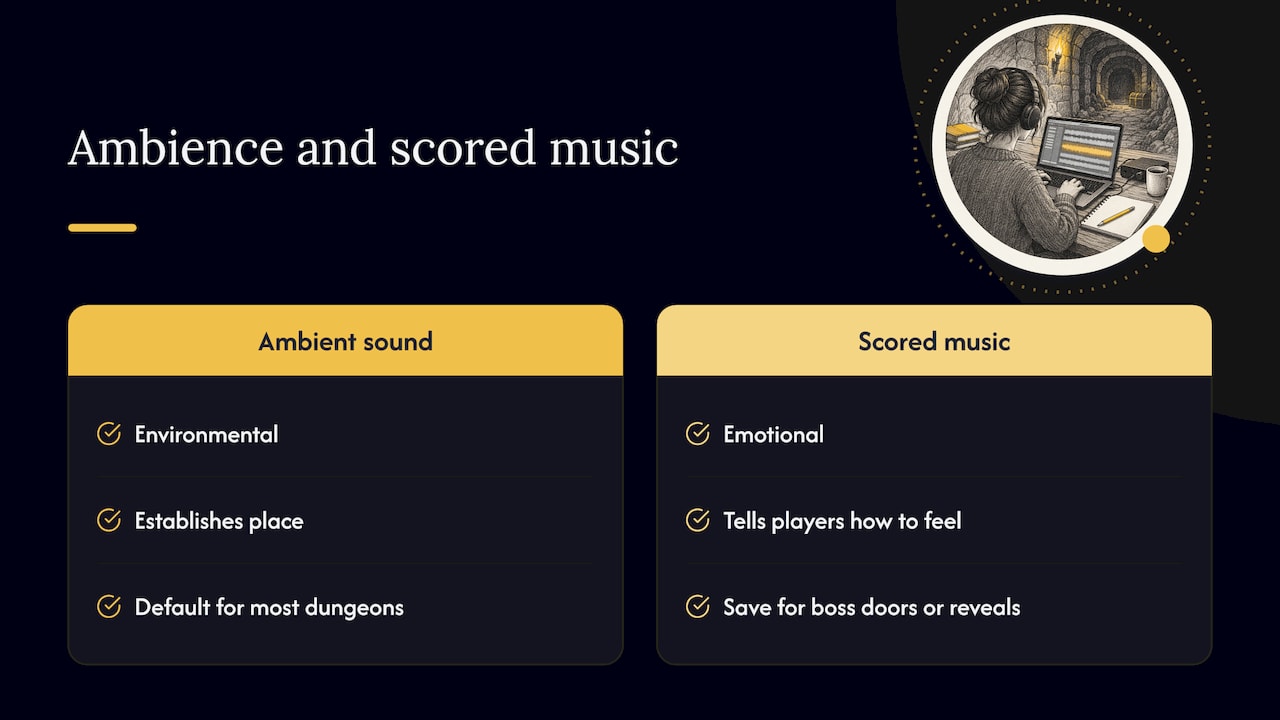
The practical consequence is a distinction worth keeping in mind while you work. Ambient sound is environmental: it establishes place. Scored music is emotional: it tells the player how to feel. Most dungeons work best when ambience is the default and a composed theme is saved for moments that earn it, such as a boss door or a story reveal.
The three layers of a dungeon mix
Think of the dungeon as three stacked groups of sound. Each has a different job and a different volume.
The bed
The bed is the constant layer: a low drone, slow cold wind or a faint rumble far away. It should be so quiet that players only notice it when it is gone. Its job is to fill silence so the room never feels like an empty audio channel.
Make the bed dull rather than bright. Low frequencies read as size and weight, while anything shrill pulls attention to itself. If you build it from a generated pad or drone, roll off the top end and leave the mid-range uncluttered so dialogue and effects can sit above it.
The texture layer
The texture layer is sparse and repeating but not regular: water dripping, timbers creaking, a chain shifting somewhere out of sight. It gives the bed a sense of place.
The key rule is irregularity. If drips fall at an even interval, the ear locks onto the pattern and it starts to sound like a ticking clock. Vary the gaps, vary the pitch slightly and, if you can, use two or three different drip recordings so no single sample dominates. Reverb belongs on these short accent sounds, matched from one to the next so they appear to share a space, rather than on the bed, which already carries the sense of a big room.
The event layer
Events are one-shot sounds that you trigger on purpose: a portcullis dropping, a door grinding open, rubble sliding, a distant roar. They should happen because something in the game happened, not because a timer fired.
This is where RPG Maker’s event system is an advantage over a passive recording. Tie a stone-scrape sound to stepping on a certain tile, or a distant growl to opening a particular chest, and the dungeon feels like it is reacting. For creature voices, our MAW gasp, growl and guttural voice SFX generator produces the kind of throaty sounds that suit something unseen breathing in the dark.
A starting recipe you can adjust by ear
There is no single correct mix, but a sensible starting point looks like this:
- Start with the bed alone and set it low. If you can hum over it without noticing it, it is about right.
- Add a distant rumble underneath, quieter again, to suggest depth.
- Layer drips at a moderate level with irregular gaps, placed as if they are nearby.
- Add one far-off accent, such as a loose stone, at long intervals so the space feels bigger than the room.
- Listen with headphones, then through laptop speakers. Dungeons often fall apart on small speakers because the low end disappears.
Two distances are a useful trick. When you hear one sound close and another far, your brain infers a space larger than the one you can see. That is cheap to do and very effective in a corridor map.
Loops that do not wear out the player
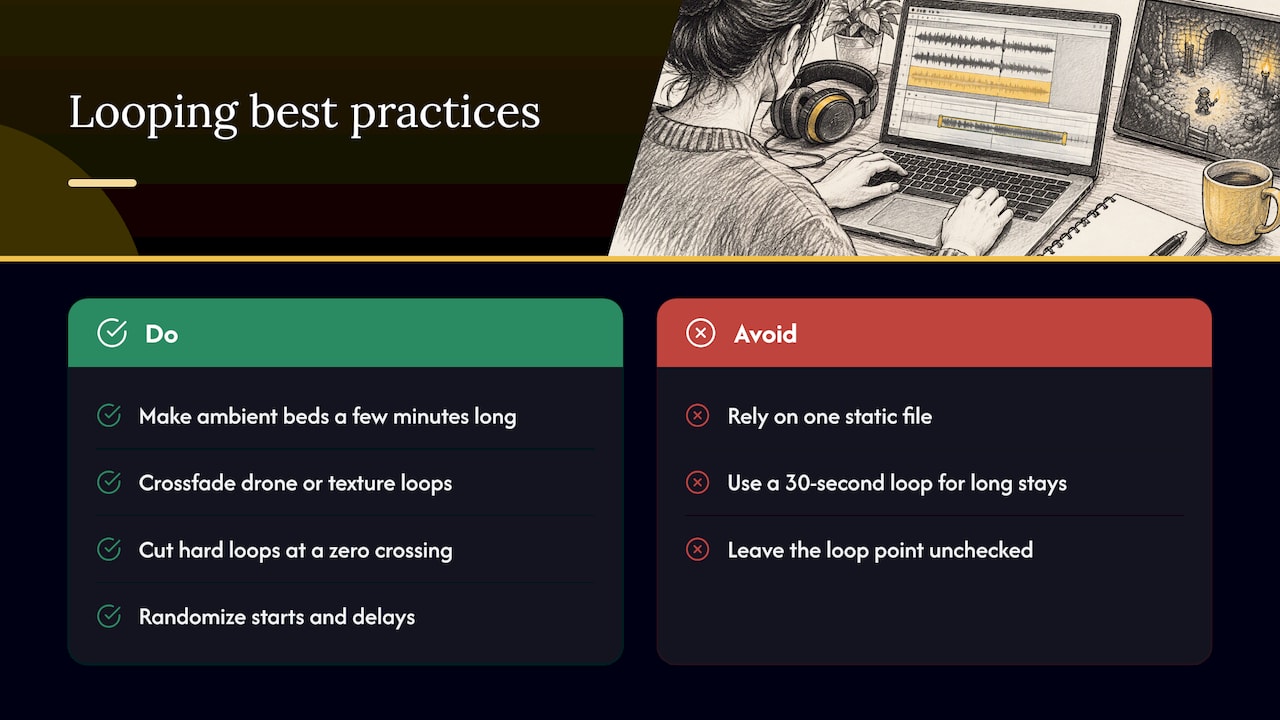
A player might stay in one cavern for several minutes, searching for a switch or grinding encounters. A 30-second loop will become obvious in that time. There are three practical ways to avoid it.
Make the loop long. Ambient beds work well at a few minutes in length, because drones and slow textures do not need a musical hook to be interesting. The longer the loop, the more variation fits inside before the seam returns.
Hide the seam. For a loop made from a drone or texture, a short crossfade between the end and the start masks the join. For hard-cut loops, cut at a zero crossing, the point where the waveform passes through silence, so you do not get a click. Check the loop point in an audio editor by playing the last two seconds into the first two seconds on repeat.
Stop relying on one loop. Professional game audio rarely plays a single static file. Berklee Online describes how sound designers use randomization rules such as probability, random start offsets and random delays so the background never repeats the same combination twice. In RPG Maker you can approximate this without middleware: keep the bed as a BGS loop and trigger your drips and creaks as separate sound effects from a parallel-process event with a random wait.
A music-style dungeon track benefits from the same thinking. Aim for an arc inside the loop that moves from sparse to fuller and back, so even one pass has some shape instead of a flat plateau.
Setting it up in RPG Maker MZ
The engine separates music from environmental sound, and using both channels is what lets you layer.
Where the files go
RPG Maker MZ plays OGG audio. Music files go in the project’s audio/bgm folder, and looping environmental sounds go in audio/bgs. Background music can be set in map settings, in the database or with the Play BGM event command, and a BGS plays at the same time as the BGM.
That means a simple dungeon setup is a quiet drone or slow track on BGM and a drip-and-wind loop on BGS, each with its own volume. Short one-shots such as a falling gate go in the SE channel and are called from events.
Balancing with Sound Test
Before you commit, open Tools, then Sound Test. According to the RPG Maker MZ aid-tools guide, it has four tabs, BGM, BGS, ME and SE, and lets you set playback volume from 0 to 100 percent, pitch from 50 to 150 percent and balance from minus 100 to 100 for each file. Use it to preview the BGM and BGS together at the levels you plan to use.
In practice, set the volume in the map’s audio settings or the Play BGM and Play BGS commands, not by editing the file over and over. A dungeon with a clean master file and per-map volume lets you reuse the same cave loop across several floors at different levels.
Auto-change on map entry
Map settings include an option to start the BGM and BGS automatically when the player enters a map. Use it so every floor of a dungeon starts with its own bed instead of carrying over the town theme. If the previous map had music and the dungeon should be silent except for ambience, add a Fadeout BGM command on the transition event.
Keep it beneath the dialogue
Ambience fails when it competes with the thing the player is reading or hearing. In RPG Maker the usual culprit is a BGM set too loud for message windows with voiced lines, or a BGS with a high-frequency hiss that gets tiring.
A good test is to play through a conversation in the dungeon and ask whether you notice the ambience. If you do, lower it. The same discipline applies to table play: anyone running a session in a browser-based virtual tabletop wants the soundscape low enough that players can talk over it, and a game does not need to be any louder than that. When listeners start raising their own voices, or leaning toward the screen, the ambient layer is too high.
Leave headroom in the master file. It is easy to lower a track in the engine, and impossible to add quality back after you have clipped it.
Licensing: read it before you ship
A dungeon track that sounds perfect is a liability if you cannot show where it came from. Two things matter most: whether the licence allows commercial use, and what credit it requires.
Take Creative Commons Attribution as an example. The CC BY 3.0 US legal code grants a worldwide, royalty-free, non-exclusive licence for the duration of the copyright. It also requires that you credit the author, give the title if one was supplied and include the licence link when you distribute the work. In a game, that usually means an in-game credits screen listing every track.
Keep a simple spreadsheet from day one: track name, author, source, licence, date downloaded. It takes a minute per file and saves a very bad week before launch. For a deeper walk-through of what to have in order, see our guide to game music licensing before you ship.
Generate your own dungeon sound
The cleanest answer to the licensing and variety problems is to make the audio yourself. Our audio generators run in the browser, so there is nothing to install and no expensive software to learn, and they produce original tracks and sound effects for your project. Many of our plugins and tools are free, and the catalog is updated weekly.
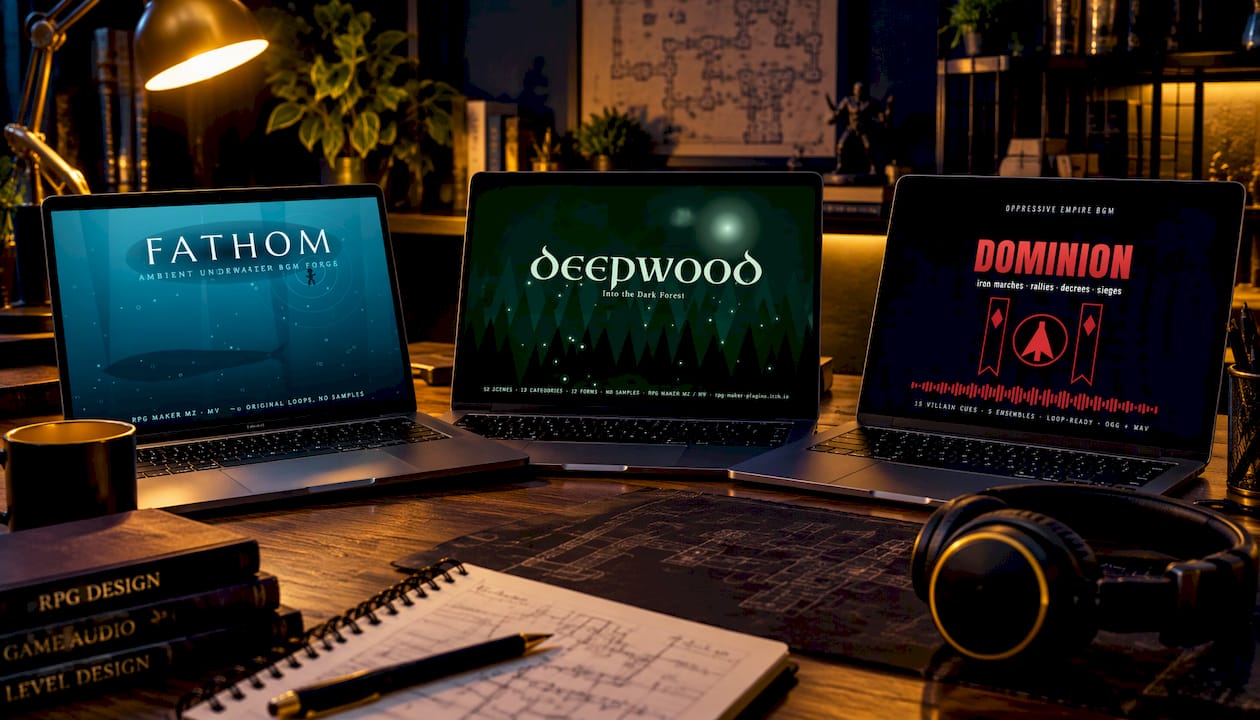
For dark, heavy moods, the DOMINION oppressive empire BGM generator and the DEEPWOOD dark forest BGM generator are good places to start when you want a sombre palette for catacombs and ruins. If your dungeon leans toward horror, Found Footage turns an RPG into a horror game and pairs naturally with a sparse ambient bed. You can browse everything in the Audio Generators category.
If you expect to use many tools across several projects, the Lifetime Supporter Pass covers every RPG Maker plugin, tool, music generator and asset on the site, for good.
Our view on dungeon sound
We build tools for people who make RPG Maker games, and the most common audio problem we hear about is not quality, it is variety. A developer finds one good dungeon loop, uses it on eight floors, and by floor four the player has stopped listening.
That is why we think generation beats collecting. When a track is made in your browser, you can make another one for the next floor, and another for the boss approach, and each is original to your game. Our generators are built so you do not need expensive software or complicated installs to do it.
Our advice is to treat ambience as a system, not a file. Keep a quiet bed, vary the texture layer, trigger events with intent and keep the whole thing underneath your dialogue. Do that, and even a modest set of sounds feels like a place.
We also care about commercial-use licensing, because a game you cannot sell is a game you cannot finish. Many of our tools are free, because indie developers should not have to pay a fortune to make a cave sound like a cave.
Brandon
FAQ
What is the best volume for dungeon ambience?
Quiet enough that you barely notice it, and always below dialogue and sound effects. Start low in the engine, then raise it in small steps until the space feels alive. If it competes with a message window or voiced line, lower it.
Should I use BGM or BGS for dungeon ambience in RPG Maker MZ?
Use both. Put a slow track or drone on BGM and the environmental loop, such as wind and drips, on BGS. Because they play at the same time, you can balance them separately and reuse either one on other maps.
How long should an ambient loop be?
As long as you reasonably can. Ambient beds without strong melodies can run a few minutes, which keeps the repetition hard to spot. Pair a long loop with irregular accent sounds triggered separately and the seam becomes almost invisible.
Do I need to credit dungeon music in my game?
It depends on the licence. Creative Commons Attribution, for instance, requires the author’s name, the title if given and a link to the licence. Always read the terms for each track and keep a record of them.
Sources
- Dungeons, Dragons, and Music, Journal of Sound and Music in Games
- How to Make Your Interactive Game Soundscapes Come Alive, Berklee Online
- RPGツクールMZ 目的別素材導入解説
- How to Use Aid Tools, RPG Maker MZ
- Legal Code, Attribution 3.0 United States, Creative Commons
Recommended
- CAVERN — Dungeon & Cave Ambience Generator
- Fallowland (Fallout4-like) BGM Generator – RPG Maker MZ & MV
- DREAD — Horror Ambience & Tension Generator
- LoZ Ocarina of Time-like BGM Generator – RPG Maker MZ
Disclaimer: This article is for informational purposes only. The author is not affiliated with the creators of RPG Maker or the plugins discussed. All plugin names, trademarks, and links belong to their respective owners. The author may include links to external projects or repositories. Readers should review each project’s license and documentation before downloading or using any plugin.