Weather Sound Effects for RPG Maker Games
Good weather audio in an RPG comes down to three things: looping ambience (rain, wind, thunder beds) set up as BGS, short one-shot effects (thunder cracks, gusts) set up as SE, and a few layered sounds per weather type so the loop does not sound like a single recording on repeat. You can build all of it in RPG Maker MZ or MV with the tools already in the editor, plus a source of sounds you are licensed to ship.
This guide covers what to build, how to layer it, where each file goes in the engine, which formats to export, and how to think about licenses when you grab free ambient sounds. It is written for indie and hobbyist developers who want a town in a downpour to feel different from a desert at noon.
TL;DR
- Treat weather as layers: a soft air bed, surface hits that match the map, a few unique details, and some distance. One flat rain loop rarely sells a scene.
- In RPG Maker MZ, loops belong in BGS (the
audio/bgsfolder) and one-shots belong in SE. Use OGG for loops. - Match the weather to the biome: wind through leaves is not wind over sand.
- Check the license on every free sound before it ships in a commercial game, and keep a credits file.
- Our TEMPEST generator creates weather and ambience audio in your browser, so you can make variations without installing anything.
Table of Contents
- What weather sounds does an RPG actually need?
- Layering: how to make one rain sound feel like real rain
- Local sound beats global sound
- Adding weather sounds in RPG Maker MZ
- Formats and technical settings
- Finding free ambient sounds, and what the license means
- Generating weather audio in your browser
- Perspective: why we think procedural weather audio fits RPG Maker
- Putting it together: a small weather system to build this week
- Get the full toolkit
- FAQ
- Sources
What weather sounds does an RPG actually need?
Most RPGs get by with a short list, and the trick is variety inside each item rather than a huge catalog.
Core beds (looping):
- Light rain and heavy rain
- Steady wind and howling wind
- Distant storm rumble
- Snow or blizzard wind
- Quiet night air (crickets, low hum) as the “no weather” baseline
One-shots:
- Thunder cracks and rolling thunder, in at least three variations
- Wind gusts
- Lightning strike for scripted scenes
- Branch or shutter creaks during storms
Surface-specific details:
- Rain on leaves, rain on wood, rain on stone, rain on metal roofs
- Dripping caves
- Puddle footsteps
The sound designers behind the audio-driven game Yonder described building weather per biome: forests get wind through leaves and rain on leaves, grasslands get lighter rain on the ground, and alpine and desert areas get distinct wind sounds, according to Audiokinetic’s write-up on Yonder’s audio. You do not need a full audio engine to borrow the idea. In RPG Maker terms, it means a different BGS file for each map type, not one “rain” file for the whole game.
Map-by-map examples
| Map type | Rain | Wind | Extra detail |
|---|---|---|---|
| Forest | Soft rain on foliage | Wind through leaves | Occasional branch creak |
| Village | Rain on wood and cobbles | Light wind, shutters | Distant thunder |
| Mountain pass | Sparse, cold rain | Strong, hollow wind | Gusts as SE |
| Desert | Rare; heavy, short | Dry wind, sand hiss | Low rumble |
| Dungeon or cave | None, but dripping | Faint drafts | Echoing drops |
| Ship deck | Rain on wood and cloth | Wind in rigging | Creaking, waves |
Use this as a planning grid. Fill it in for your own game before you collect any files, and you will know exactly what to look for.
Layering: how to make one rain sound feel like real rain
A single recording of rain, looped, tells the player “this is a sound file.” Layers tell them “this is a place.” Boom Box Post’s breakdown of designing rain splits a convincing rain build into four layers:
- Air or atmosphere. A soft, washed-out noise bed that fills the space.
- Surfaces. Droplet impacts that match what the rain is hitting: foliage, wood, metal.
- Unique elements. Storm drain flow, downspouts, puddle splashes, roof runoff.
- Perspective layers. Close and distant recordings spread around the sound field.
That is written for film and game post-production, but the logic scales down to a hobby project.
Applying the four layers in RPG Maker
RPG Maker gives you one BGS channel per map and a handful of SE triggers, so you do the layering in two places: inside the file and in your events.
- Inside the file. Mix your air bed and surface layer into one looping BGS in any audio editor, or generate a ready-made loop. Keep the loop long enough that the pattern is not obvious, and make sure the end blends into the start without a click.
- In events. Use parallel-process events to fire unique elements as SE at random intervals: a drip, a gust, a distant rumble. A Control Variables command set to a random number plus a conditional branch and a Wait command is enough for this.
- For perspective. Make an “indoors” version of each rain loop that is muffled, with the high frequencies rolled off. Switch to it when the player enters a building. Players notice this change more than almost any other detail.
The same idea works for thunder. Three or four thunder SE files with different lengths, played at random with a random delay after a screen flash, feel far more natural than one clap on a fixed timer.
Why it is worth the effort
Audio can trigger emotion more strongly than visual changes, and sound-only details can populate a world without dozens of new models or complex code, according to that same Yonder audio article. For a small RPG Maker team with limited art budget, that is the strongest argument for investing in ambience early.
Local sound beats global sound
Big-budget games solve a problem you will face too: weather is global, but places are local. The Witcher 3 audio team built a global weather system with blend containers reacting to wind, rain, and thunderstorm parameters, and local ambiences override it using a volume parameter, as described by Audiokinetic. Ambient zones follow the listener indoors and stay clamped to zone boundaries when the player leaves.
In RPG Maker, you can approximate this without middleware:
- Keep a switch or variable for the current weather (for example, 0 = clear, 1 = rain, 2 = storm).
- On each outdoor map, an autorun or parallel event checks the variable and plays the matching BGS.
- On indoor maps, ignore the global weather for BGS but play the muffled version, or a quiet room tone with the occasional thunder SE.
- When the player returns outside, the same check restores the right loop.
This gives you a single place to change weather for the whole game, and every map responds.
Adding weather sounds in RPG Maker MZ
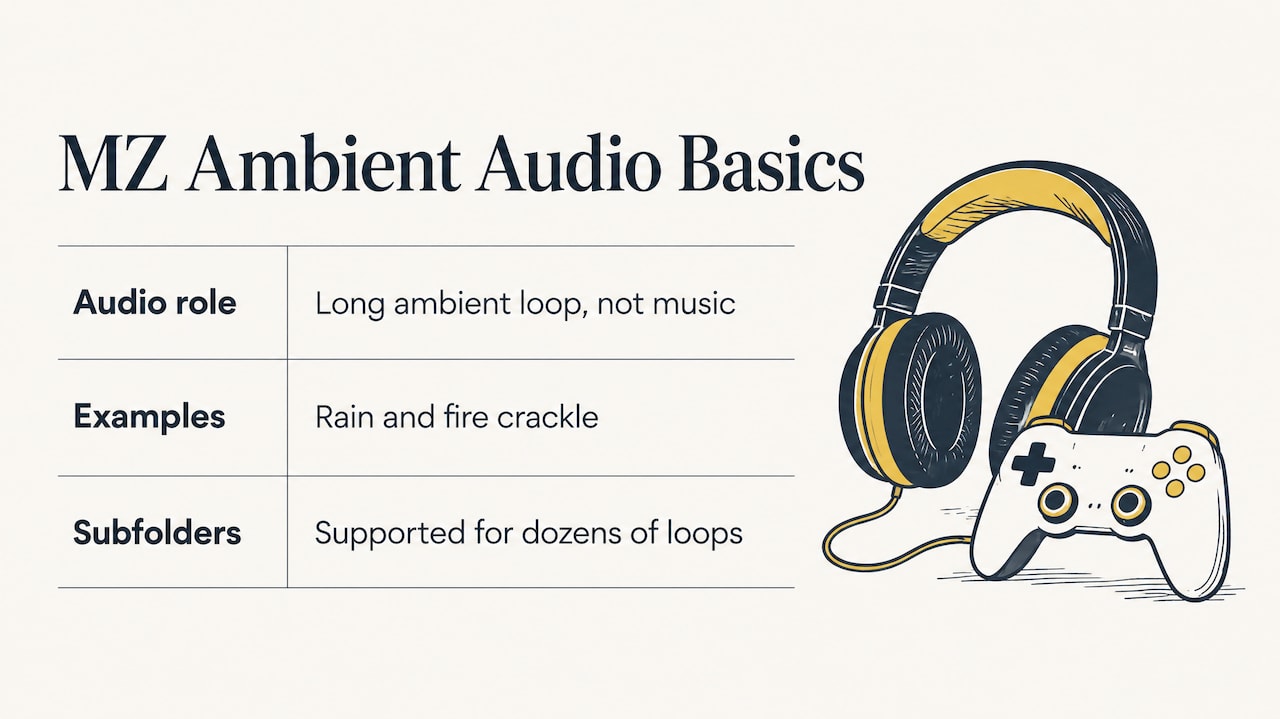
RPG Maker MZ treats ambient audio as BGS, a longer looping track meant to be ambient rather than musical. Rain and fire crackle are the typical examples, per the Casper Gaming wiki entry on Background Sound. Files go in the audio/bgs folder, and MZ also supports subfolders there, which helps once you have dozens of loops.
Step by step
- Export your loop as OGG and drop it in
audio/bgs. Use a subfolder such asweatherif you like. - Open the map’s properties and tick Autoplay BGS, then choose the file. Set volume, pitch, and pan.
- For changes mid-game, use the Play BGS event command. Use Fade Out BGS to end rain gradually instead of cutting it.
- Add one-shots (thunder, gusts) in
audio/seand trigger them with Play SE. - Use Save BGM/BGS and Replay BGM/BGS around cutscenes or menus so the rain picks up where it left off.
Testing before you commit
MZ includes a Sound Test under Tools, with tabs for BGS and SE/ME and controls for volume, pitch, and balance, as covered in this guide to MZ’s aid tools. Listen to each loop there on headphones and on laptop speakers. Rain loops that sound lush on good headphones can turn into hiss on small speakers, and vice versa.
Two habits save time later:
- Name files by use, not by source:
rain_forest_light,rain_roof_heavy,wind_mountain_loop. - Keep volumes consistent. Set weather loops lower than your music so they sit underneath it. Pitch shifts of a few percent let one file serve two maps.
Formats and technical settings
Modern RPG Maker releases starting with VX Ace use OGG, which gives small file sizes at a small cost in audio quality, per the Casper Gaming wiki. For ambience, that tradeoff is almost always fine.
AudioUtils’ guide on the best audio format for gaming recommends WAV for short sound effects, because there is no decode latency or CPU overhead and it layers well, and OGG for ambience, streamed at quality 5 to 6. It also notes that one second of 44.1 kHz, 16-bit stereo WAV is about 172 KB, which is a useful number when you are budgeting your project size.
A practical checklist:
- Loops: OGG, stereo for open outdoor beds, mono is fine for point-source sounds like drips.
- One-shots: short files, trimmed tight, with a small fade at the end to avoid clicks.
- Loop points: check the seam. If you hear a pulse every time the loop restarts, crossfade the tail into the head in your editor.
- Loudness: normalize loops to a consistent level, then leave headroom for thunder.
- Size: ten long stereo loops add up. Trim silence and use mono where it makes no audible difference.
Finding free ambient sounds, and what the license means
Plenty of free rain, wind, and storm sounds exist online, and many are fine for games. The catch is that “free to download” and “free to use in a commercial game” are two different things.
Community sound libraries commonly use Creative Commons licenses, and the Freesound FAQ lists three typical ones: zero (CC0), attribution (BY), and attribution noncommercial (BY-NC). In plain terms:
- CC0: you can use it freely in your game, though you should not claim you made it.
- Attribution: you can use it commercially, but you must credit the creator as the license requires.
- Attribution noncommercial: not suitable if you plan to sell your game or run it with ads or paid DLC.
A workflow that keeps you safe:
- Before downloading, read the license on the sound’s own page, not just the site’s general terms.
- Save a text note or screenshot with the sound’s name, author, URL, and license.
- Build a credits file as you go, so you are not hunting for attributions the week before launch.
- Avoid files whose license you cannot identify.
- If you plan to sell, treat noncommercial files as off limits.
This is general information rather than legal advice. If your game is a serious commercial release, read each license text in full.
Library recordings also come with a practical issue: everyone else downloads the same rain. If you want a sound that is unique to your game, generating your own is the other route.
Generating weather audio in your browser
We built TEMPEST, our weather and ambience sound generator, for RPG Maker developers who want original rain, wind, and storm audio without buying expensive software or setting up a complicated toolchain. It runs in the browser, so you can design a loop, listen, adjust, and export.
That approach has practical benefits for the layering workflow above:
- You can make a light, medium, and heavy version of the same storm and keep them consistent.
- You can create variants for different maps instead of reusing a single file.
- The sounds are generated, so you are not tracking down attribution for each recording.
If your game also needs music to go with the weather, our audio generators cover procedural soundtracks and effects, built for RPG Maker MZ and MV projects.
Perspective: why we think procedural weather audio fits RPG Maker
We make browser-based audio tools for RPG Maker developers, and weather is one of the places where we see the most value in generating sound rather than searching for it.
The usual workflow is slow. You hunt through libraries, check licenses, trim, loop, and then discover that your forest rain and your village rain are the same recording. A generator lets you build a family of related sounds and tune them to each map. Our approach is designed to remove the need for expensive software or installations, so a solo developer can get from idea to a finished BGS loop in one sitting.
We also believe small projects deserve the same care for atmosphere as big ones. A storm that rolls in with distant thunder, builds, and fades is a story beat, and you do not need a studio budget to write it. That is why many of our plugins and tools are free, and why we keep adding to the catalog every week.
Brandon
Putting it together: a small weather system to build this week
If you want a concrete starting point, here is a project that takes an afternoon.
- Plan the grid. List your map types and pick one rain, one wind, and one “calm” loop for each.
- Create or collect the loops. Generate them, or gather licensed files and log every license.
- Export loops as OGG and one-shots as WAV or OGG, trimmed and named by use.
- Set the weather variable. One variable controls clear, rain, and storm.
- Wire up the maps. Outdoor maps read the variable and play the matching BGS. Indoor maps play a muffled variant.
- Add random one-shots. A parallel event fires thunder or gusts at random intervals when the storm state is active.
- Fade, never cut. Use Fade Out BGS when weather ends.
- Test in the Sound Test, then in play, on headphones and speakers.
Once this works, expanding it is mostly adding files: snow, sandstorms, ocean wind, a cave drip loop.
Get the full toolkit
If weather is just the start and you want music, effects, plugins, and art that work together, our Lifetime Supporter Pass covers every tool, music generator, and asset on RPG Maker Market. Many items in the catalog are free, and others are sold individually or in bundles, mostly through itch.io.
For weather specifically, start with TEMPEST. For the rest of your toolchain, browse our dev tools and plugins.
FAQ
Should weather sounds be BGS or SE in RPG Maker MZ?
Use BGS for anything that loops in the background, such as rain, wind, and storm beds. Use SE for one-shots like thunder cracks, gusts, and lightning strikes. Files go in audio/bgs and audio/se respectively.
What file format should I use for rain and wind loops?
OGG is the standard for RPG Maker releases since VX Ace and keeps file sizes small. It is also the format recommended for streamed ambience at quality 5 to 6. Keep short effects as WAV or OGG, trimmed tightly.
Can I use free ambient sounds in a commercial RPG?
Only if the license allows it. CC0 sounds are generally free to use, attribution sounds require credit, and noncommercial sounds should stay out of a game you sell. Record the source and license of every file as you download it.
How do I stop a rain loop from sounding repetitive?
Layer it. Use a soft air bed in the loop, then add random one-shots such as drips, gusts, and distant thunder through parallel events. Different loops for different maps help too.
How do I make rain sound different indoors?
Create a muffled version of the loop with the high frequencies reduced, and play it on indoor maps. Add a quiet room tone and the occasional distant thunder SE to complete the effect.
Sources
- Yonder: The Cloud Catcher Chronicles, an episodic audio journal (Audiokinetic)
- From Drizzle to Downpour: An Exercise in Designing Rain (Boom Box Post)
- The Witcher 3: Wild Hunt, Game Audio (Audiokinetic)
- Background Sound (Casper Gaming Wiki)
- How to Use Aid Tools (RPG Maker MZ guide)
- Best Audio Format for Gaming (AudioUtils)