Automated Game Testing for RPG Maker: What to Automate
Automated game testing means letting software play your game and check the results, so you don’t replay the same intro, shop menu and boss fight after every change. For an RPG Maker MZ or MV project, the practical version is a short list of repeatable checks, a bot that walks through them, and a log you can read in minutes. Our Auto-Playtest Bot & Logging tool is built for exactly that job, and this guide shows how to set up the routine around it.
TL;DR
- Automate checks that are frequent, repeatable and have a clear pass or fail: save and load, menu flows, event chains, progression through the critical path.
- Keep fun, difficulty, pacing and story clarity with human players.
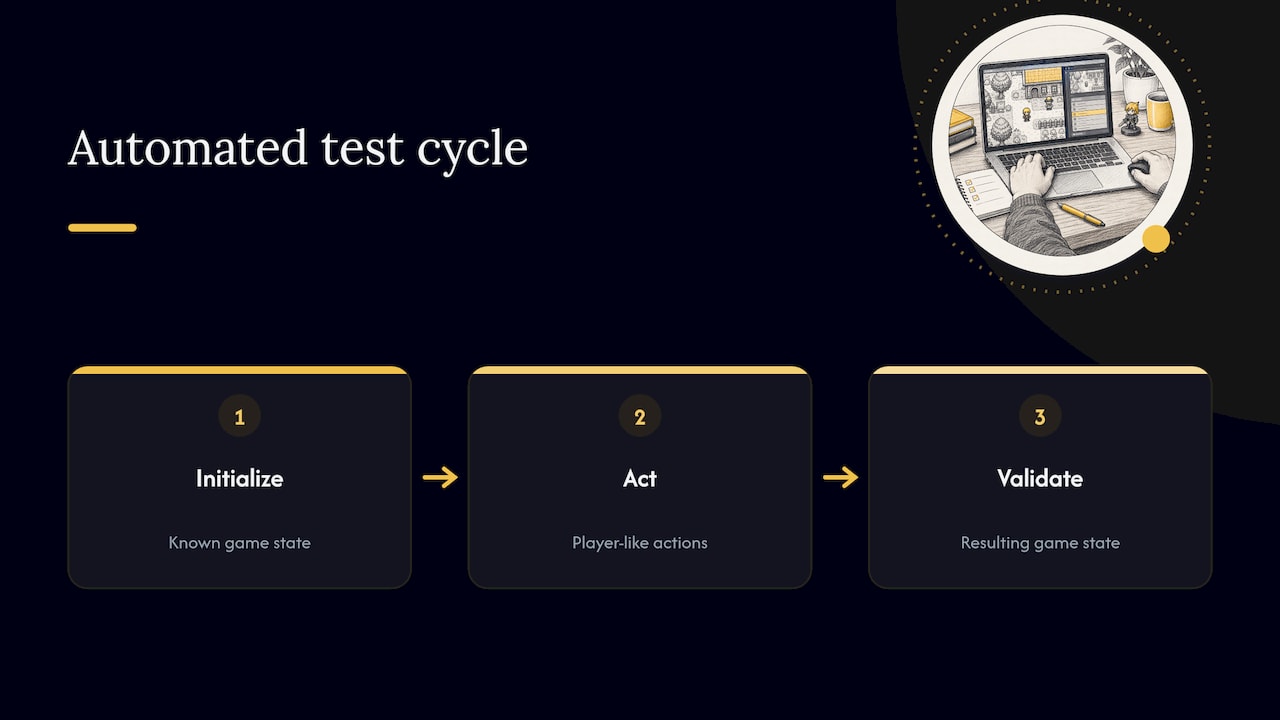
- A good test cycle is simple: start from a known state, perform actions, check the resulting state.
- Set switches, variables, gold and location quickly with a dev toolbar so each test starts exactly where you want.
- Start with one automated run of your main path, then add checks every time a bug bites you twice.
Table of Contents
- What automated game testing actually is
- Why it suits RPG Maker projects especially
- What to automate and what to test by hand
- How game-testing bots work
- A practical routine for MZ and MV developers
- Making results measurable
- Where the client’s tools fit
- Our perspective
- FAQ
- Sources
What automated game testing actually is
Automated testing uses scripts or bots to perform the actions a player would, then verifies that the game responded correctly. Studio engineers at Eidos-Montréal describe a cycle that initializes a known state, executes actions, and validates the resulting state. That three-part shape works whether the tester is a unit test, a scripted bot or a machine-learning agent, and it works just as well for a turn-based RPG with a hundred events.
It differs from playtesting in who asks the question. A playtest asks “is this good?” and needs a person. An automated test asks “did the door open when the switch was on?” and needs only a rule. The terms “automated playtesting” and “game testing automation” usually mean the same thing in practice: a program standing in for the player on the repetitive parts.
The gap is large in the industry. A 2021 SBGames paper found that nearly half of all game testing is playtesting, mostly manual, while only 5.47% of tests performed were automated. Solo and small-team developers can close that gap more easily than they expect, because an RPG Maker project has a structured, event-driven world that is well suited to repeatable checks.
Why it suits RPG Maker projects especially
RPG games are long and branching. A 40-hour game with quests gated by switches and variables has hundreds of places where one wrong condition quietly blocks the player. Choice of Games, which publishes branching interactive fiction, notes that manual testing is fine for short games but becomes tedious and less useful as a game grows longer, which is when repeated automated playthroughs pay off.
The ustwo Games team showed the scale of the benefit. Their automated critical-path run played at 16 times real speed and surfaced problems from a commit in under 30 minutes. You will not need their infrastructure, but the principle carries over: a full run that takes minutes instead of an evening changes how often you dare to check.
An academic study of indie QA practices points the same way. It recommends that small teams identify critical tests, automate frequently repeated or time-consuming checks, test on a recurring schedule, and make results measurable instead of relying on ad-hoc notes. That is a workable plan for one person with a project folder.
What to automate and what to test by hand
The rule of thumb is to automate work that is deterministic and measurable, and keep subjective judgment human. Bugnet’s regression guide lists the deterministic work worth automating, from build launches and save/load round trips to menu flows and audio-event triggering, and the judgment calls to keep manual. Applied to an RPG Maker game:
| Check | Automate | Keep manual |
|---|---|---|
| New game starts and the first map loads | Yes | |
| Save, quit, load, and state matches | Yes | |
| Shop buy and sell, gold totals | Yes | |
| Quest switch and variable changes after each event | Yes | |
| Critical path from title to ending | Yes | |
| Teleports land on valid tiles | Yes | |
| Sound effect plays on trigger | Yes | |
| Battle balance and difficulty | Yes | |
| Pacing, dialogue tone, story clarity | Yes | |
| Music mix and mood | Yes | |
| First-time player confusion | Yes |
Cubix makes the same distinction in plain terms: scripts and bots are strong at build checks, smoke tests, save and load, UI flows and regression suites, and they do not judge whether the game is fun. Treat automation as the part that frees your evenings for the testing only a person can do. Our audio side agrees: a generated track can be triggered correctly by a bot, but only your ears decide whether it fits the scene.
How game-testing bots work
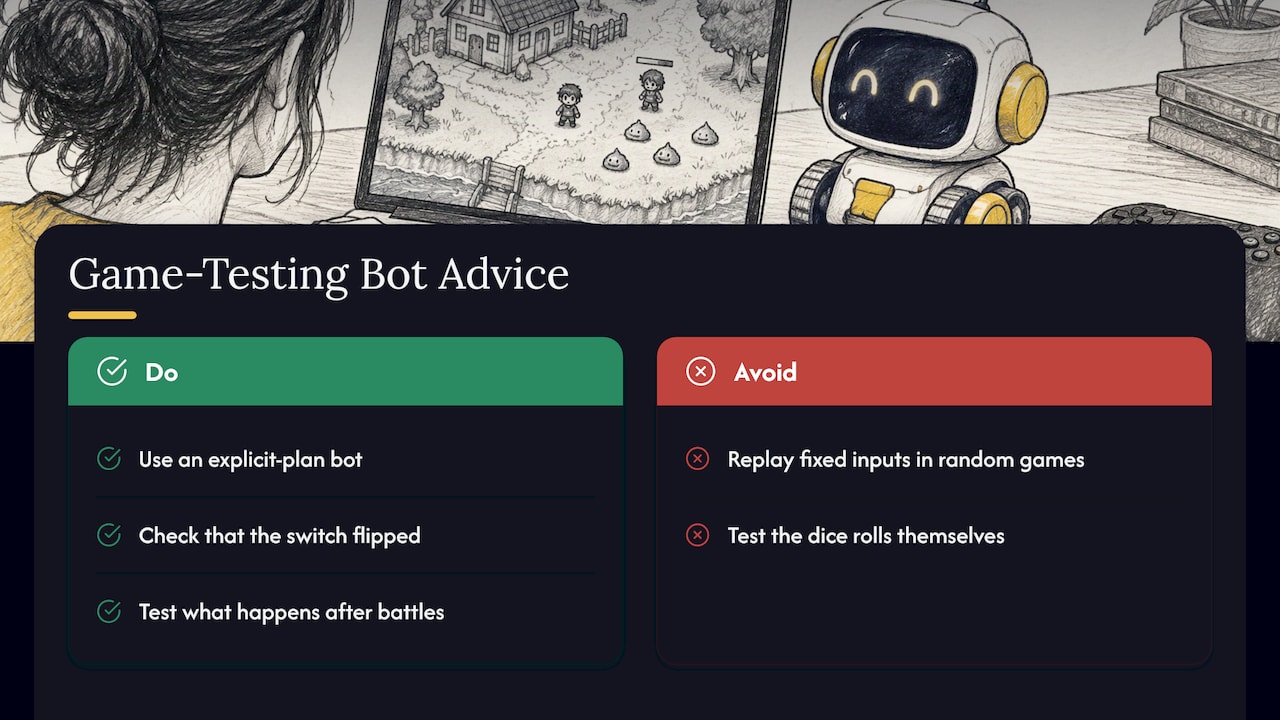
A test bot is a player that never gets bored. Bugnet describes gameplay bots as automated players working through the input system, from simple movement to menu interaction and objective completion. Eidos-Montréal separates two styles. Explicit-plan agents are told where to go and what to do, then callbacks collect game state before actions and check the expected changes afterward. Reinforcement-learning agents instead learn which actions earn a reward.
For an indie RPG, the explicit-plan style is the one to start with. You know your game’s critical path. You can tell a bot to talk to the elder, pick up the key, open the gate and reach the next map, and you can check that the right switch flipped along the way.
One caution from the same source applies to any replay approach: replaying fixed inputs is reliable only for deterministic games, because randomness and other sources of variation can make a run diverge. In RPG Maker terms, random encounters and random drops are the usual culprits. Test the logic around them, such as what happens when a battle ends, rather than the dice rolls themselves.
At the large-studio end, AI agents run huge volumes of playtesting. Capcom reports more than 30,000 hours of autonomous playtesting per month on one title. You don’t need that scale. The value for you is the same idea in miniature: repeat the boring route automatically and read the report.
A practical routine for MZ and MV developers
1. Write down your critical path
List the ten or so steps a player must complete to finish the game: start, first quest, first dungeon, first boss, and so on. This list is your first test script. Writing it often exposes a gap in the design before any bot runs.
2. Choose checks with a clear pass or fail
For each step, define what true looks like: switch 12 is ON, the party has the key item, the player is on map 7. If you can’t state the expected result in one line, it’s a playtest question, not an automated check.
3. Make every test start from a known state
The first stage of the cycle above is a known starting state, and it is where most flaky tests go wrong. A dev toolbar saves hours here. Playtest Grimoire is our toolbar for MZ with teleport, gold, switches and variables, so you can drop into the middle of the game with the exact flags you want rather than replaying from the title screen.
4. Let a bot walk the path and log what happens
Run the route with the bot and record a log: which events fired, which values changed, where it stopped. A log turns “it feels broken” into “the bot stopped at the gate on map 7 because the key switch never turned on.” That is what our Auto-Playtest Bot & Logging tool is designed for.
5. Read the log, then fix and rerun
Do the fix, rerun the same route, and confirm the failure is gone. When a bug is reported by a player, add a check for it so it cannot return unnoticed.
6. Repeat on a schedule
Run the route before every build you share, and again after adding a plugin or changing a core event. The indie QA study’s advice to test on a recurring schedule is the habit that makes the whole thing pay off.
Going further: packaging and builds
Teams that want a full pipeline can chain tests, build and upload. A community CI/CD guide for RPG Maker lays out a pipeline of setup, tests, build, packaging and artifact upload, using rpgmpacker to package MV and MZ projects. It also notes that the engine’s built-in export cannot be automated, which is why packaging tools matter if you want unattended builds. Other engines document the same principle: GameMaker’s guide says automated build tests should launch without keyboard, mouse or touch input and expose results so the workflow can pass or fail a build.
If you work with AI assistants, there are also experiments aimed at RPG Maker MV projects. One open-source project reports static event linting, dry-run event simulation and progression analysis, with limits around scripts and plugins. It shows where tooling is heading: checking your event logic before you even launch the game.
Making results measurable
The same indie study found that 83.1% of respondents agreed their testing results were subjective and open to interpretation. The fix is a scoreboard you can compare from one build to the next. Keep it small:
- Number of critical-path steps completed by the bot
- Number of failed checks, with the map and event ID
- Save and load round trips passed
- Time the full run takes
When those numbers move, you know something changed. When they don’t, you can ship with more confidence and spend your own playtest time on feel, difficulty and story.
Where the client’s tools fit
Our dev tools cover the repetitive parts of testing an RPG Maker game: automating playtests with a bot and a log, and setting up game state quickly with a toolbar. Many of our plugins and tools are free, others are sold individually or in bundles. If you want to browse everything made for MZ and MV workflows, the Dev Tools category is the place to start, and the Lifetime Supporter Pass covers every tool, music generator and asset pack on the site.
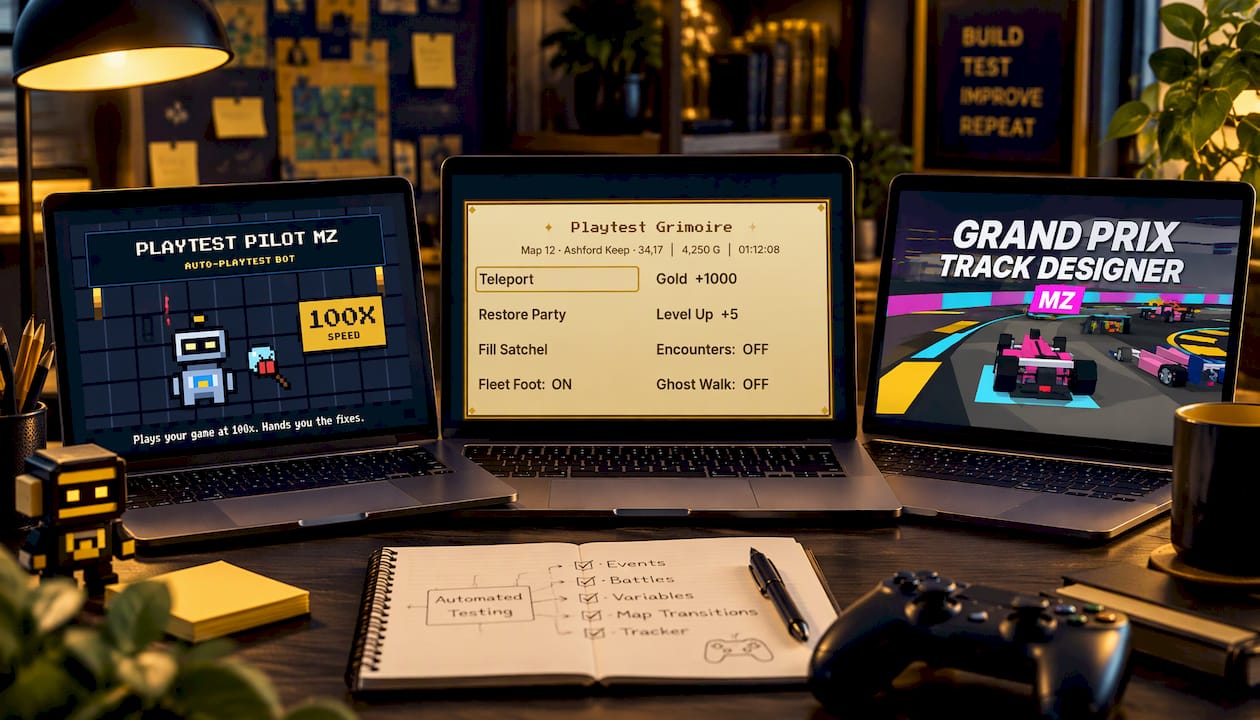
The testing tools pair naturally with the rest of the catalog. When you add a minigame or a generated music track, the bot can confirm that the trigger fires and the scene returns to the map, and you can then listen to the result yourself.
Our perspective
We built our tools because testing an RPG Maker game by hand is the slowest part of finishing one. Every plugin you add, every event you change, can quietly break something three maps away. Replaying the first hour to check it is how many projects stall.
Our view is that a small developer gets more from a modest, dependable routine than from an ambitious testing framework. A bot that walks your main path, a toolbar that sets any switch or variable in a second, and a log you can read at a glance will catch the bugs that otherwise reach your players.
That is also why we keep many tools free and sell the rest at accessible prices with commercial-use licensing. Automation should not be a luxury for studios. It should be part of how a hobbyist finishes a game.
Brandon
FAQ
Is automated game testing worth it for a solo RPG Maker developer?
Yes, when you aim it at the checks you repeat most. Start with one run of your critical path and a few save and load checks. Research on indie QA recommends automating frequently repeated or time-consuming checks first, which is exactly where a solo developer loses the most hours.
Can a bot replace human playtesters?
No, and it isn’t meant to. A bot confirms that events, switches, saves and menus behave as designed. People tell you whether the pacing, difficulty and story land. The best results come from letting the bot handle regression so your human testers can focus on experience.
What is the difference between automated testing and automated playtesting?
Automated testing is the broad term for any scripted check, including unit tests and build checks. Automated playtesting is the narrower practice of having a bot play through the game like a user. In RPG Maker, the second is usually what you want, because the game is made of events rather than code.
How do I keep automated tests reliable when my game has random battles?
Test the logic around the randomness instead of the randomness itself. Start from a known state, force or skip the encounter where possible, and check what happens after the battle ends. Replaying fixed inputs is dependable only when the game behaves the same way each run.
Do I need a build pipeline to start?
No. A pipeline is a later step for teams that want unattended builds. You can get most of the benefit by running a bot along your critical path in the editor before every release and keeping the logs.
Sources
- Towards Automated Playtesting in Game Development (SBGames 2021)
- Automated Game Testing | Eidos-Montréal
- How to Get the Most out of Automated Testing, Part 1 | Choice of Games
- Building Assemble with Care | ustwo Games
- Exploring Quality Assurance Practices and Tools for Indie Games
- Setting Up Automated Regression Tests for Game Builds | Bugnet
- Automated vs Manual Game Testing | Cubix
- How Capcom Is Leading the Way for Enterprise Agentic AI | Google Cloud
- CI/CD for RPG Maker Game Development
- Automate Your Builds in GitHub Actions | GameMaker
- Xerolo44/RPG-Maker-MV-MCP
Recommended
- Do Your Playtests 100x More Efficiently | Auto-Playtest Bot & Logging
- Playtest Grimoire — Dev Toolbar for RPG Maker MZ (Teleport, Gold, Switches, Variables)
Disclaimer: This article is for informational purposes only. The author is not affiliated with the creators of RPG Maker or the plugins discussed. All plugin names, trademarks, and links belong to their respective owners. The author may include links to external projects or repositories. Readers should review each project’s license and documentation before downloading or using any plugin.